Home › Resources › Does Canvas Detect AI?

Does Canvas Detect AI?

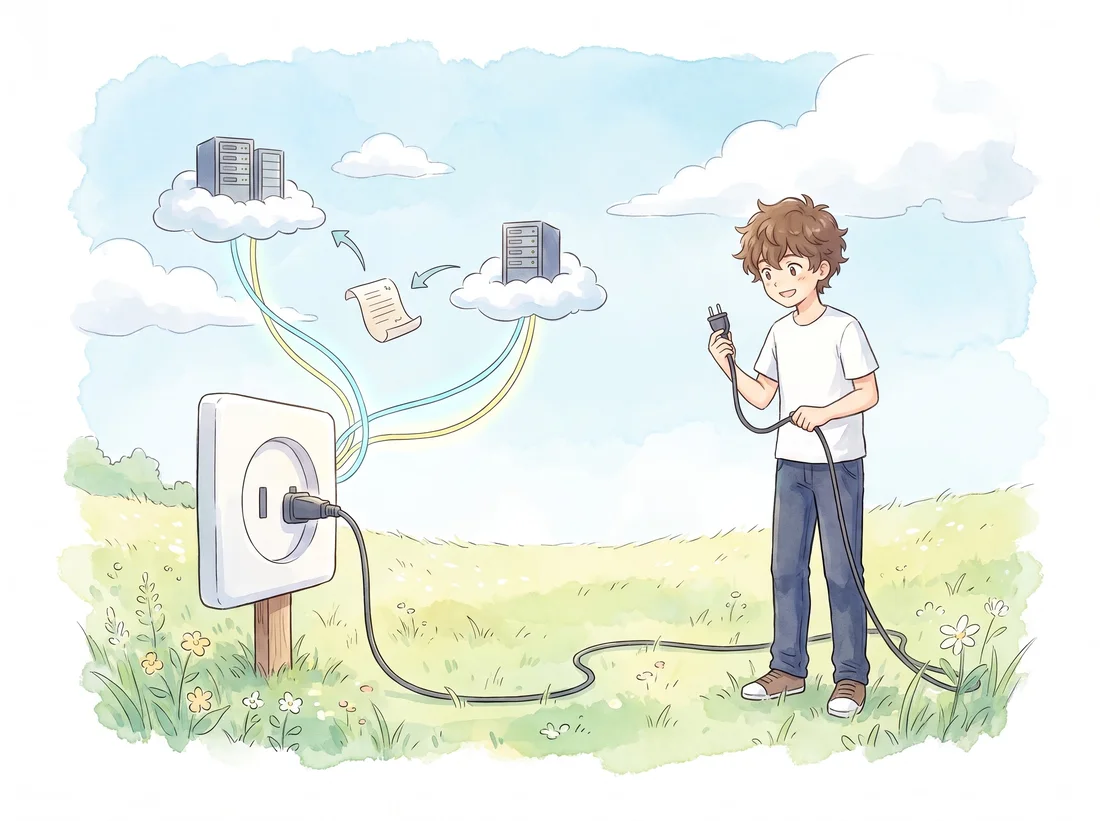
Short answer: Canvas does not detect AI. Instructure did not build a detector, it built a socket. Canvas ships a plagiarism detection platform whose documented job is to give outside tools "a standard way" to plug in, receive your submission through a webhook, analyse it on their own servers, and post an originality report back into Canvas. Any AI percentage you see in Canvas arrived through that socket from somebody else.

Watercolour illustration of a student standing in a meadow holding a power cable, with the other end plugged into a wall socket. Cables run from the socket up to two servers in clouds, passing a sheet of paper between them.

That architecture is the reason Canvas feels like it detects things. The score appears in SpeedGrader, inside Canvas, next to your file, under your instructor's own grading interface. Every visible part of the experience is Canvas. The judgment is not.

This page covers what the plagiarism framework actually is, what Canvas records about you and what it cannot see, why Instructure's own heavy investment in AI points away from detection rather than towards it, and how to tell whether anything is switched on for your assignment.

The socket, not the detector

Instructure documents the mechanism openly. Canvas's plagiarism detection platform exists to give external tool providers a standard way to integrate plagiarism detection with Canvas, and the flow has three steps.

  1. The tool registers. A provider such as Turnitin or Copyleaks registers with Canvas and obtains access tokens.
  2. Canvas sends a webhook. When you submit, Canvas notifies the tool, and that notification carries what the tool needs to retrieve your submission from Canvas.
  3. The tool posts a report back. After analysing your text on its own infrastructure, the provider creates an originality report through the Canvas API, and Canvas associates it with your submission.

Canvas performs no analysis at any point in that sequence. It receives a file, notifies a vendor, and stores the verdict the vendor returns. It is an integration layer with a display surface.

Instructors usually meet this as a Plagiarism Review setting on an otherwise normal Canvas assignment: build the assignment as usual, pick a connected checker, and Canvas handles the submission plumbing while the vendor generates the report. Turnitin and Copyleaks are the two most common choices, and Turnitin's Canvas integration has been through several generations, so the exact screens differ between institutions.

The practical upshot: if no provider is connected to an assignment, nothing is scanned. Your upload is a stored, timestamped file.

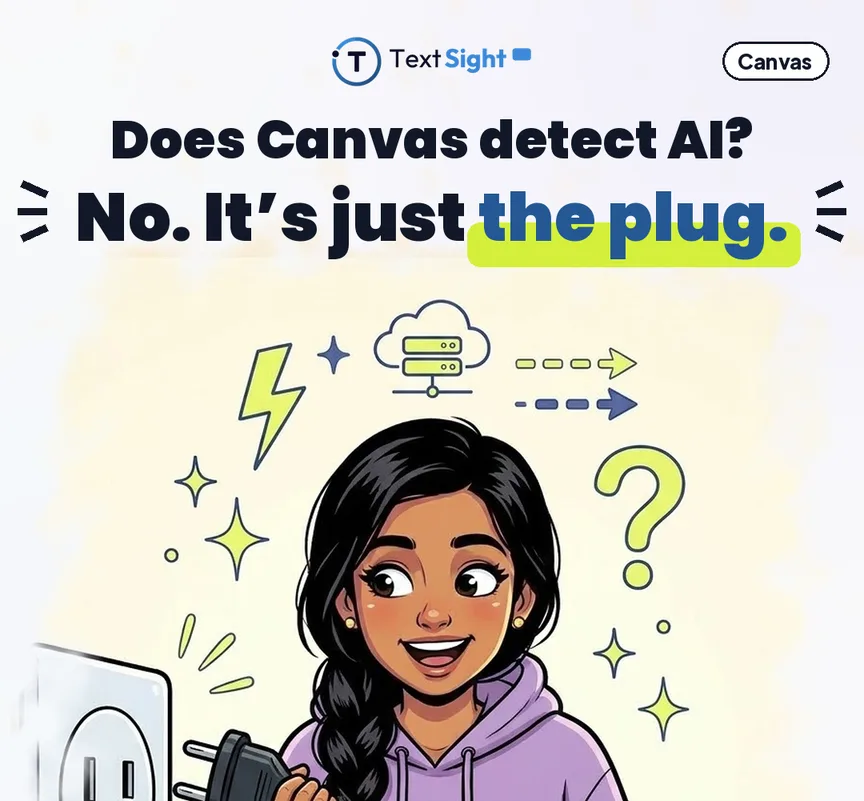
Illustration of a student holding an unplugged power cable beside a wall socket, with cloud and server icons above. The caption reads: does Canvas detect AI? No. It is just the plug.
Three steps, and Canvas performs none of the analysis in any of them.

What Canvas does record, and what it genuinely cannot see

Canvas is not passive. It keeps records, and instructors can read some of them. It is worth being exact about what those records contain, because this is where most of the folklore lives.

Submission times and file history

Canvas stores every submission with its timestamp, including resubmissions. That is real evidence about when you handed something in, and nothing at all about who wrote it.

Page views and course access

Canvas logs interactions with Canvas: pages opened, files downloaded, discussions read. It is a server-side record of requests made to Canvas, so it stops at the edge of Canvas.

Quiz logs

Where quiz log auditing is enabled, an instructor can open an attempt and see a timestamped list of actions: answers entered and changed, and an entry recording that the quiz page stopped being the active page. There is no entry naming what you opened instead. University guidance on reading these logs puts it plainly: any access outside the quiz window is noted, but you do not learn where the student went or what they looked at, and the log cannot on its own establish academic dishonesty.

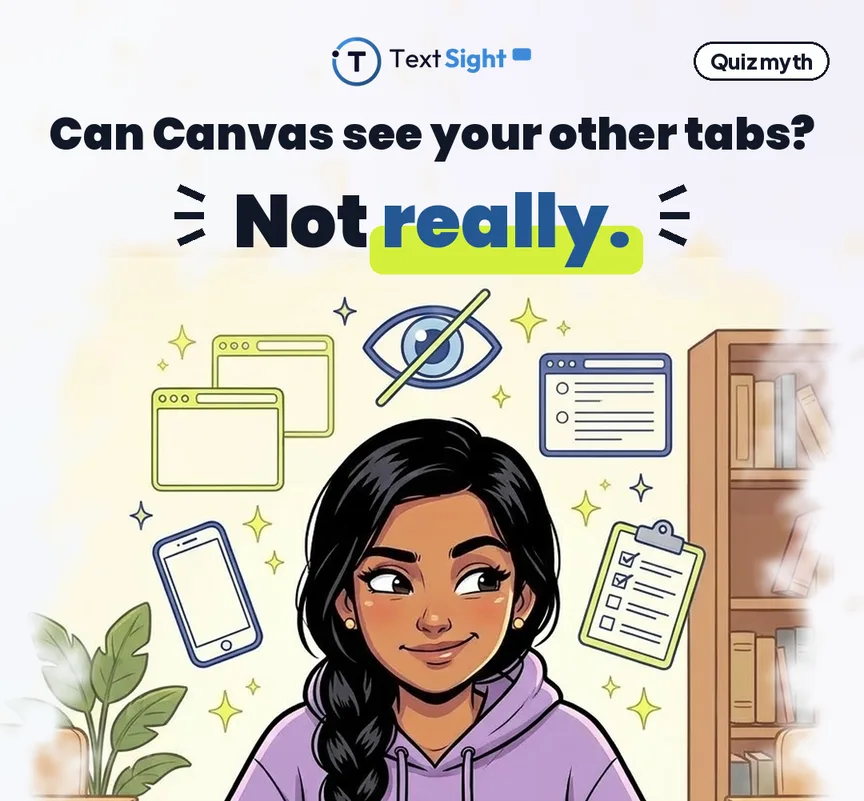
So the honest version of "can Canvas see my other tabs" is: it can record that the quiz lost focus, and it is blind to everything beyond that. It cannot see your other tabs, your other applications, your phone, your clipboard or your screen. A focus event is not evidence about conduct, and treating it as one is a misreading of the log rather than a feature of Canvas.

None of this touches essays. No Canvas log reads a paragraph and decides a machine produced it.

Illustration of a student surrounded by browser windows, a phone and a crossed-out eye icon, above the caption: can Canvas see your other tabs? Not really.
The log records that the quiz page lost focus. It never records what you opened instead.

Instructure is investing heavily in AI, all of it generative

If Canvas were about to add detection, you would expect it in the roadmap. The roadmap says the opposite.

Instructure's AI programme, IgniteAI, is positioned as a layer that unifies AI capabilities across Canvas and third-party tools. What it actually ships is authoring and workflow help for educators: an agentic assistant that works across Canvas APIs to automate multi-step tasks such as rubric generation and discussion review, question authoring that drafts assessment items from course materials and standards, grading assistance, and Discussion Insights that surfaces participation patterns. Instructure has published access terms for the advanced features, free through 30 June 2026 in the United States and 30 September 2026 worldwide, after which they sit inside higher Canvas tiers.

Every one of those features generates or summarises. None of them classifies a student's writing as machine-written. Both major LMS vendors have now spent their AI budget the same way, on helping instructors produce material rather than on judging authorship, and in Anthology's case with a published refusal to build detection at all, which we cover in does Blackboard detect AI.

The reason is not mysterious. Detection carries a false positive rate that lands on individual students, and no LMS vendor wants to own that liability inside a gradebook.

How to tell whether AI detection is on for your assignment

Because it depends on the integration rather than on Canvas, the signals are in the assignment itself.

  • Check the assignment page before and after submitting. When a checker is connected, Canvas shows the provider by name or a similarity indicator, and after you submit your submission details typically show a processing state and then a percentage, sometimes with a coloured flag next to your file.
  • Watch for a vendor agreement. Many integrations require you to accept terms the first time your work is sent to a third party. That prompt is a reliable tell.
  • Read the syllabus and the assignment instructions. Instructors who run submissions through a checker generally say so, and many institutions require the disclosure.
  • Notice a bare submission. A plain Canvas assignment with no integration shows your file, its size and the submission time. No percentage, no processing state, no third-party notice.
  • Ask your instructor. Asking how your work will be evaluated is an ordinary question. It is also the only way to be certain, since some settings are not student-visible.

And the layer no integration covers: an instructor who knows your earlier work notices a jump in register, citations that do not resolve, or claims you cannot explain when asked. That noticing needs no software, which is why our guidance at AI detection for professors and for teachers treats a number as the opening of a conversation, not a conclusion.

What the number in SpeedGrader actually means

SpeedGrader is Canvas's grading interface: it opens your submission, holds the rubric and comments, and displays any connected vendor's score beside your work. SpeedGrader analyses nothing. It renders someone else's result, and that result has published limits.

If the score came from Turnitin

Turnitin runs two independent checks, and they are often confused with each other. The similarity check compares your text against published work, web pages and previously submitted student papers, and reports matching. The AI writing check is separate and scores the statistical signature of machine-generated text, so it needs no watermark and does not name a specific chatbot.

Turnitin publishes boundaries on the AI check. Below 20 percent no figure is shown at all, only an asterisk, because Turnitin found a higher incidence of false positives in the 1 to 19 percent band. At or above that threshold its accuracy documentation reports a document-level false positive rate under 1 percent, and approximately 4 percent across the full distribution of documents. Those two numbers describe the same tool, and which one gets quoted at you depends entirely on where your paper fell, which is why we read the documentation clause by clause in is Turnitin's AI detector accurate.

Why those numbers still worry institutions

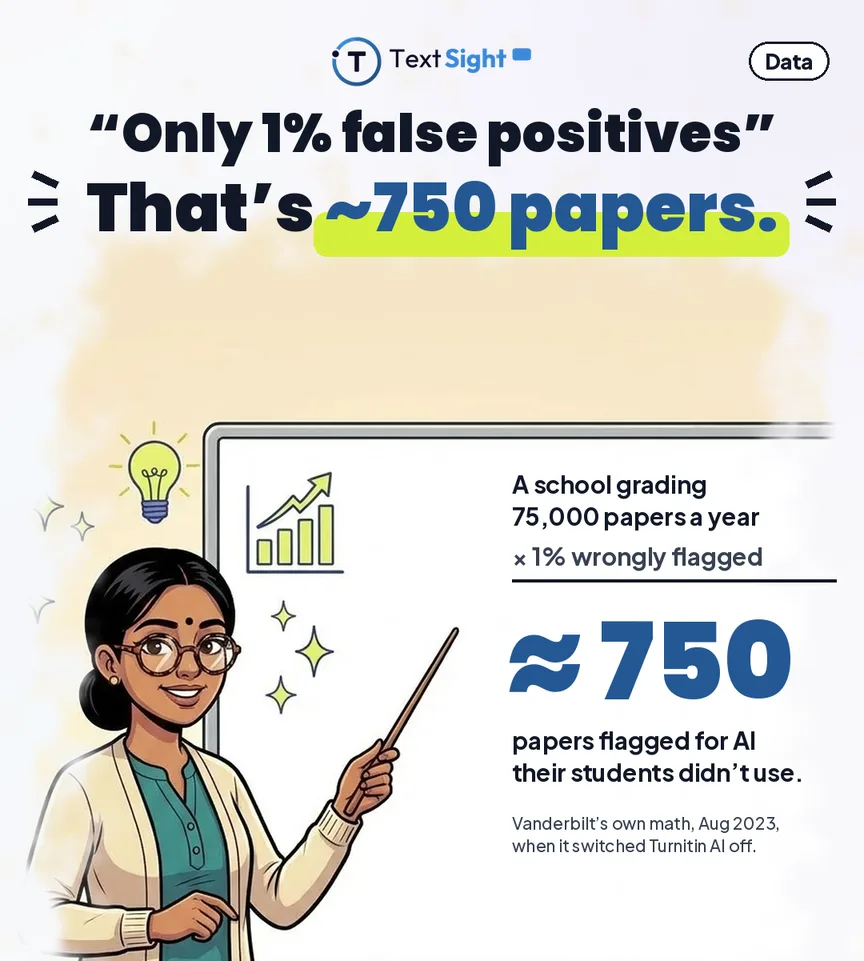
Vanderbilt University disabled Turnitin's AI detector in August 2023 and published the arithmetic: about 75,000 papers a year means a 1 percent false positive rate is roughly 750 papers wrongly flagged. It also objected that Turnitin does not explain what patterns the model looks for, and concluded the tool was not effective enough to rely on.

The bias finding is sharper still. Liang and colleagues, in Patterns in 2023, tested seven commercial detectors and found more than 61 percent of TOEFL essays by non-native English speakers classified as AI-generated, while native-speaker essays scored near-perfectly. The proposed explanation is that careful second-language writing has low perplexity, the same statistical property machine text has.

A detector result is therefore a probability, not a verdict, and a score like 35 percent does not mean a machine wrote 35 percent of your paper. Turnitin's own guidance is that its score should not be the sole basis for adverse action against a student. We go deeper in AI detector false positives, why AI detectors get it wrong and the limits of AI detection.
Data card showing the arithmetic: a school grading 75,000 papers a year, times a 1 percent false positive rate, gives roughly 750 papers flagged for AI their students did not use. Attributed to Vanderbilt, August 2023, when it switched Turnitin AI detection off.
Why a sub-1 percent rate stops sounding small once you multiply it by a year of submissions.

Proctoring is a different product entirely

The last source of "Canvas catches cheating" confusion is exam software, which has nothing to do with written work.

For timed quizzes many institutions add a proctoring layer on top of Canvas: a lockdown browser, webcam monitoring, screen recording, or several at once. These are separate products, licensed separately, and they do restrict what you can do during a live attempt.

They do not read essays. A lockdown browser cannot open your term paper and form a view about its authorship. When somebody tells you Canvas caught a student, establish which system they mean first, because a proctoring flag and an AI score are different kinds of claim with different error modes and different appropriate responses.

Check your own draft while you can still change it

The most useful thing you can do is see what a detector sees before anyone else does. Running your own draft through a detector shows which passages read as flat and machine-like, so you can rework those lines in your own voice rather than be surprised weeks later by a number you cannot interrogate.

TextSight's free AI detector returns a probability with sentence-level highlights, which is specific enough to act on, and the document detector takes a file directly if that is what you are submitting. We are equally clear about the limits: it is a guide for revising your own work, not a verdict on anyone else's, and it is less certain on heavily edited text and on second-language writing for exactly the reasons above. Our accuracy methodology describes how we test it, and our research notes cover what we have measured.

Then keep your drafts. Version history in Google Docs, or tracked changes in Word, is the strongest authorship evidence available to you, and a real revision timeline settles a questioned score faster than any argument about model accuracy. How to prove you did not use AI covers assembling it, and being accused of using AI in college covers what to do in the first 48 hours if it has already happened.

Illustration of a student writing at a laptop under warm string lights, with a clock, pencil and tick icons, above the caption: scanned when you submit? Check your draft first.
The one step that is entirely yours, and it only works before you hand the work in.

Where Canvas sits between the other two

Canvas occupies the middle position of the three big platforms, and the distinction is architectural rather than a matter of degree.

Instructure built an interface. The plagiarism framework is documented, standard and vendor-neutral: register a tool, receive a webhook on submission, post an originality report back. That makes the route an AI score travels through Canvas knowable, even when the score itself is not. You can always ask which provider is registered on the assignment, and there is a definite answer.

Anthology took the opposite approach with Blackboard and shipped opinion instead of plumbing: a built-in similarity checker, plus a published decision not to add AI detection to it on the grounds that the models are too unreliable and too biased for consequential use. Moodle shipped neither, and its documentation says so outright, which leaves the outcome to whichever plugin a local administrator happened to install out of roughly a dozen options.

The common thread across all three is worth stating plainly: no learning platform vendor has chosen to own AI detection. Two of the three route it to outside companies, one declines it publicly, and all three are spending their own AI budgets on generating material for instructors instead. When a score reaches you, it has come from a company whose product is detection and whose error rate is its own to publish.

Teaching staff will get more out of our guidance for educators and Turnitin compared with TextSight. Students should start with the student guide, then AI detection at college level.

FAQ

Frequently asked.

Does Canvas have its own AI detector?
No. Canvas is a learning management system with no built-in AI writing detector. Instructure's documented plagiarism platform exists to let external tool providers integrate: Canvas notifies the tool when you submit, the tool analyses your text on its own servers, and it posts an originality report back into Canvas. Any AI score you see came through that route.
Can Canvas detect ChatGPT?
Canvas on its own cannot. If your instructor has connected Turnitin, Copyleaks or a similar tool to the assignment, that tool can flag text that reads as machine-generated and Canvas displays the result. With no integration enabled, a Canvas submission is not scanned for AI at all. No detector names a specific chatbot either.
Does Canvas scan everything I submit automatically?
No. Without a connected checker, an upload is a stored, timestamped file. Scanning is configured per assignment, so two assignments in the same course can be treated differently, and a plain assignment with no integration shows only your file, its size and the submission time.
Can Canvas see if I switch tabs during a quiz?
Not really. Where quiz log auditing is enabled the log can record that the quiz page stopped being the active page, but it never records which tab, application or site you opened. Canvas has no visibility into other tabs, other applications, your clipboard or your screen, and a focus event cannot on its own establish dishonesty.
Is SpeedGrader analysing my writing?
No. SpeedGrader is the instructor's grading interface. It opens your submission, holds the rubric and comments, and displays a connected vendor's score next to your work. The analysis happens on the vendor's servers before the number ever reaches SpeedGrader.
What should I do if a Canvas submission is flagged as AI?
Establish which tool produced the number, because Canvas did not. Then treat it as a probability: Turnitin's own documentation reports a document-level false positive rate under 1 percent above its 20 percent threshold but roughly 4 percent across the full distribution, Vanderbilt disabled the feature over exactly that exposure, and research has found detectors misclassify more than 61 percent of essays by non-native English speakers. Bring your draft and version history, which is the strongest authorship evidence you have, and read our guide on being accused of using AI before the meeting.

TextSight is an AI-detection and writing-trust tool. We help you check and improve your own work, and we do not help anyone disguise AI writing or evade an institution's detection. Canvas does not detect AI writing on its own, and the detectors that connect to it return probabilities that can be wrong, so treat any score as a prompt for a conversation rather than proof. Platform behaviour described here was checked against Instructure's published documentation on 28 September 2026.

Check your own writing. Free, no signup.

TextSight's free tier gives you daily scans with sentence-level highlights, so you can see which lines carry the AI signal and why. Every score is a probability, not proof, and we say so plainly.

Start free, no card See the methodology